Send it. They sign it. Done.
Contracts signed on a phone in a minute, for a flat price instead of a price per person.
Free account, nothing to pay. Skool members log in with their Skool email. Skool member login
 DocuSign
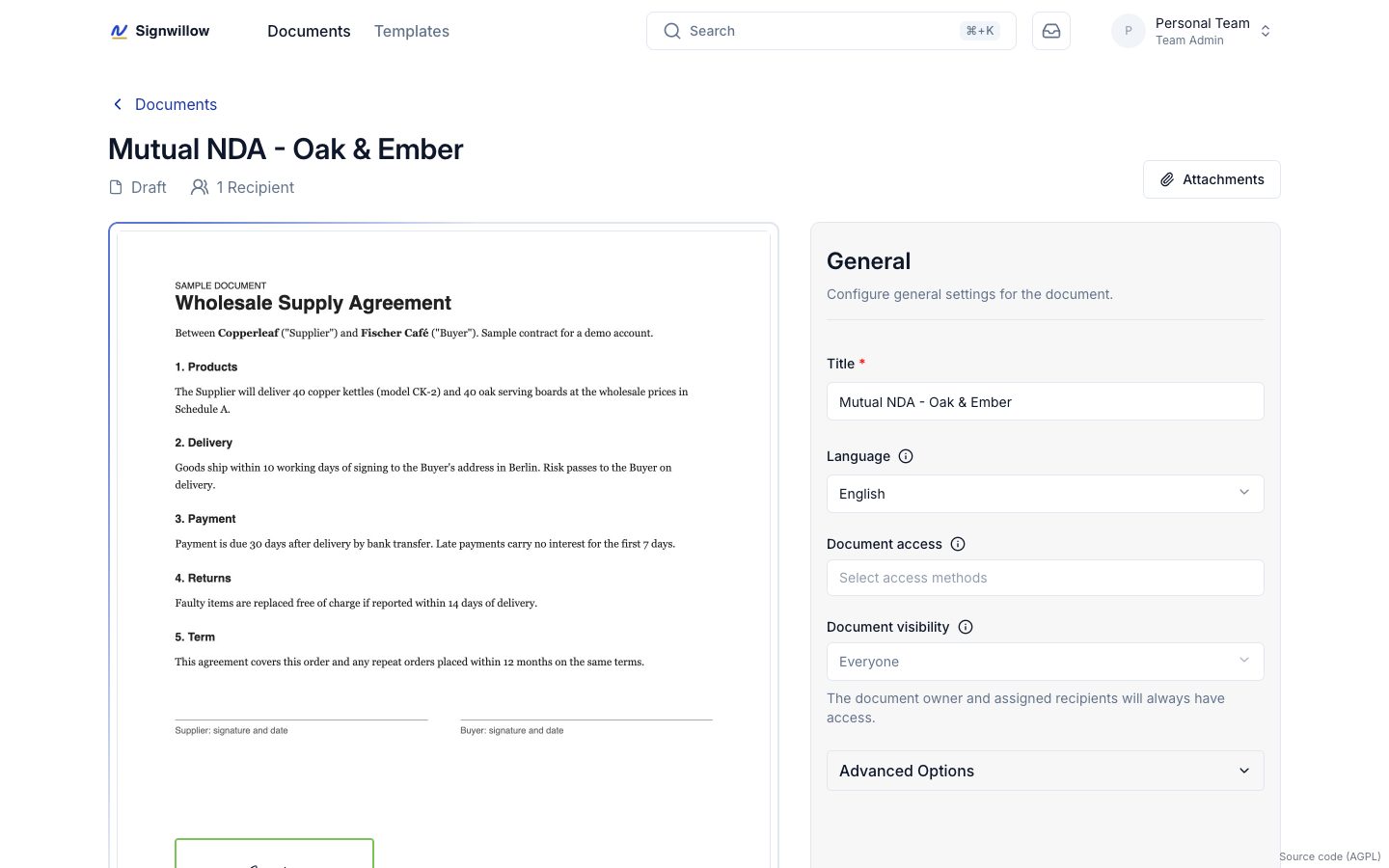
A real screen of Doc Sign Desk.
Works with
- PDF upload
- Phone and laptop signing
- Draw, type or upload a signature
- Templates
- Public signing links
- Webhooks
- API
How it works
Up and running in three steps
1Sign up free. Your account is made for you.
 2
Upload a PDF and place the fields where people sign.
 3
Share the link. They sign on their phone and you get the sealed PDF.
A closer look
Everything in one place
Drop in a PDF, place the fields
Drag a signature, initials, date, name or text box onto the page where it belongs. Every person gets their own colour.
- Signature, initials, name, email, date
- Text, number, checkbox, radio, dropdown
- Required or optional fields
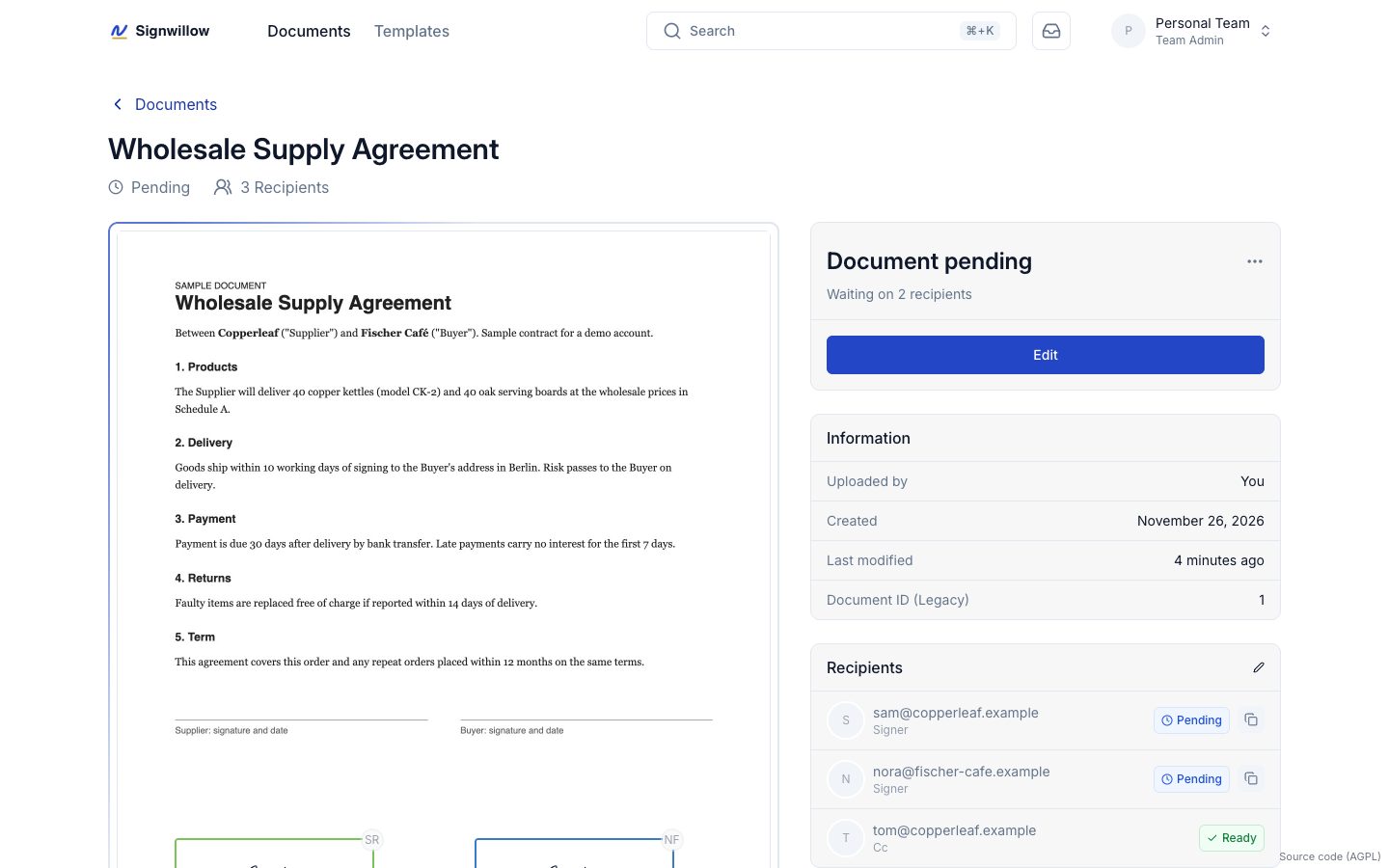
Everyone signs in the right order
Add the people, pick who signs, who approves and who just gets a copy. Turn on signing order if it matters.
- Signer, approver, viewer, copy
- Signing order
- Share the signing link yourself
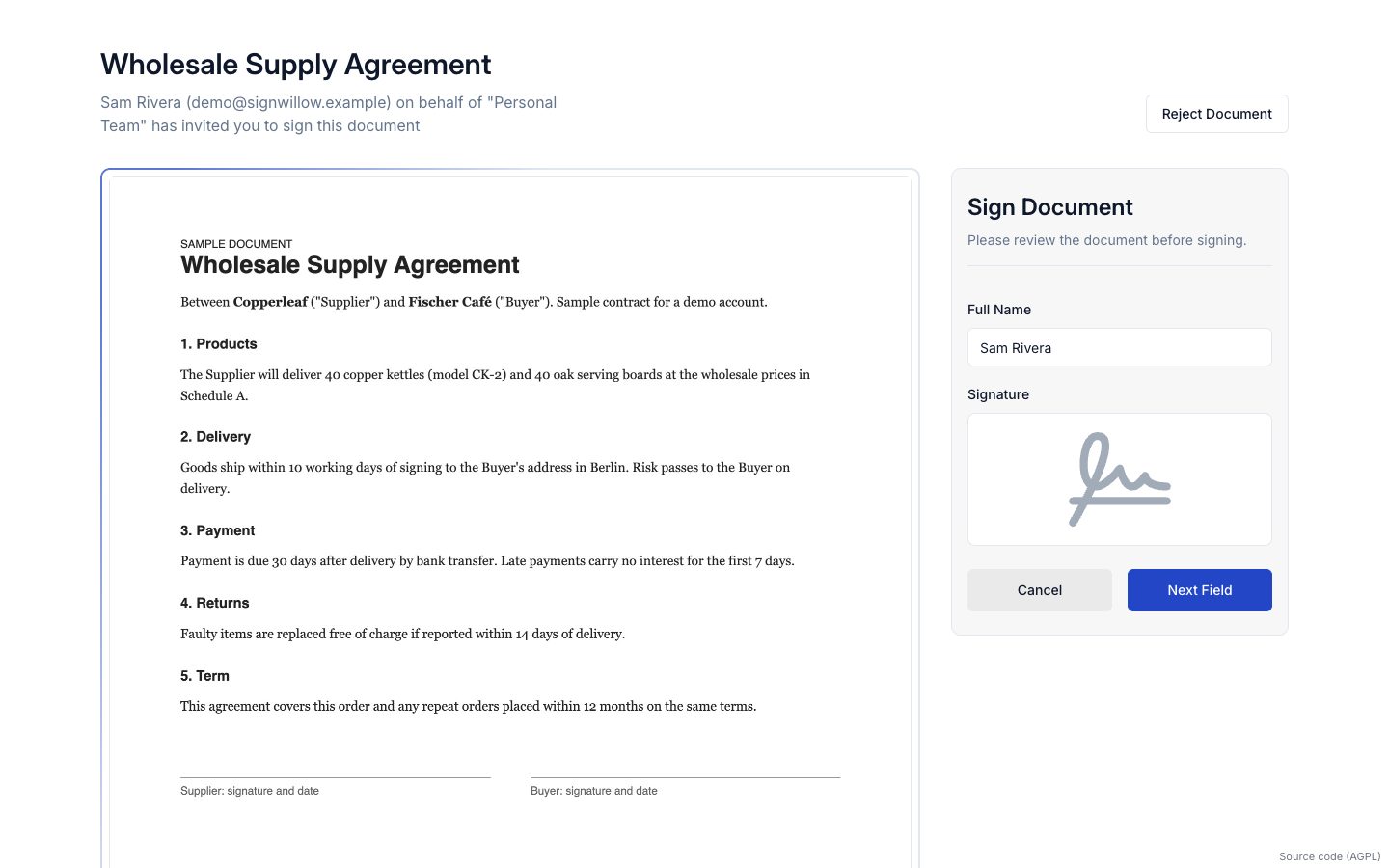
Signed on a phone in a minute
The signer opens the link, taps each field and signs with a finger. No account and no app.
- Draw, type or upload
- Works on any phone
- Clear steps, nothing to install
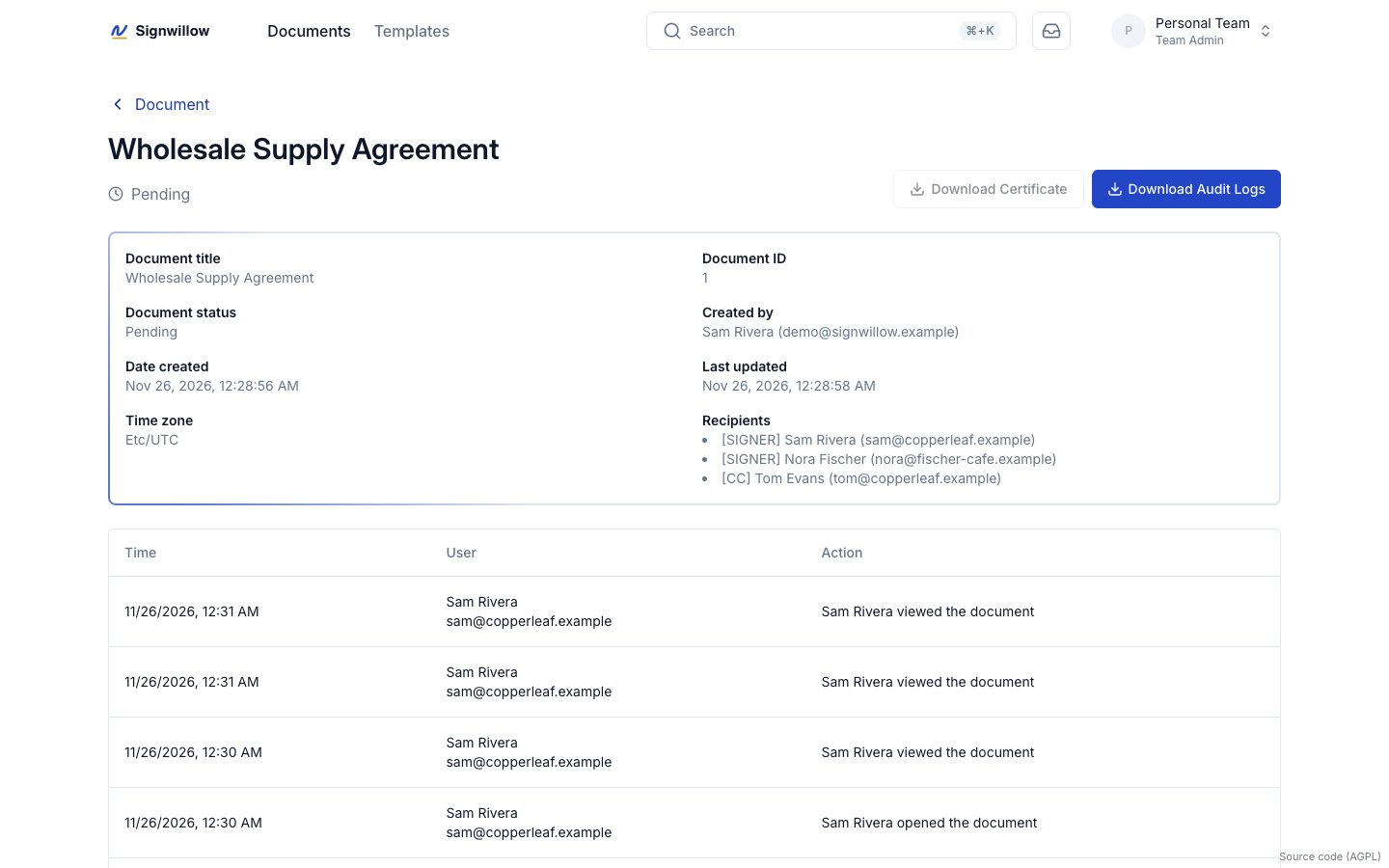
A signed PDF and a record of who did what
The finished file is sealed with a digital certificate. A signing log shows when each person opened and signed.
- Sealed, tamper-evident PDF
- Signing certificate page
- Full audit log
Real screens of Doc Sign Desk.
Included
Everything you get
Templates
Save a contract once and reuse it in seconds.
Public links
One link anyone can open to sign your standard form.
Folders
Keep contracts tidy by client or by year.
Teams
Share templates and documents with your team.
Status at a glance
Draft, waiting, completed: see where every contract is.
Reminders by link
Copy a signer's link and send it again.
Webhooks
Tell your other software the moment something is signed.
API
Create and send documents from your own code.
Your signature, saved
Set it once in your profile.
Many languages
The signing page speaks the signer's language.
Download anytime
The signed PDF and the certificate are yours.
Your own account
Other members can't see your documents.
White label
Your name on it. Your price. Your clients.
Doc Sign Desk comes with your brand name, logo and colour on every screen your clients see. You set the price and keep what they pay you.
- Your brand name, logo and colour
- Your own login page and address
- Runs on your own server
- Sell it at any price you like
Who it's for
Made for people who sell to small businesses
Freelancers
Send a proposal and get it signed before the call ends.
Agencies
One template per service. New clients sign it from a link.
Landlords and lettings
Tenancy agreements signed on a phone, with a record of when.
Small teams
Offer letters, NDAs and supplier contracts in one place.
Pricing
Free to use. No catch.
What it normally costs. Price from their own page, November 2026.
DocuSignMake an account with your email and use it. No card. Want help selling it? Skool members ($29/month) get the community, lessons and Yar's help.
Start freeJoin the Skool groupWhat DocuSign costs a team at $30 per person/mo:
| 2 people | $29/month | |
|---|---|---|
| 5 people | $29/month | |
| 10 people | $29/month |
Doc Sign Desk has no charge per person. One membership, your whole team.
Trust
Open source underneath. Your data stays yours.
Doc Sign Desk is built on Documenso, an open-source signing app (AGPL licence). It runs on our own server and the source code is linked in the app.
How we look after your data- Your own account, nobody else's
- Encrypted connection on every page
- No ads, no selling data
A note from Yar
I run Build AI Business with Claude on Skool. Most small businesses pay for a help desk, a signing app and analytics, every month, often per person. I put open-source versions of them on our own server, with their own names, so members can use them, and sell them to clients, for the one membership price.
If something's broken or missing, message me on Skool and I'll look at it.
Questions
Good to know
Something else? Message Yar on Skool.
Who can log in?
Anyone. Make a free account with your email and a password. In our paid Claude or AI video group on Skool? Pick “Skool member” and use your Skool email.
Is one login enough?
Yes. The same email and password work on every one of our products.
Where does it run?
On our server. Log in and it's ready, with nothing to install. Want your own copy with your name on it to sell to clients? Log in and press Get your own copy.
Is an electronic signature legal?
In the US (ESIGN Act), the EU (eIDAS) and the UK, a simple electronic signature is legally valid for most everyday contracts. Some documents, like wills, need more. Check the rules for yours.
Do signers need an account?
No. They open the link and sign.
How do signers get the contract?
Copy each signer's link from the document and send it by WhatsApp, text or your own email. Email invites from Doc Sign Desk aren't switched on yet.
Can other members see my contracts?
No. Every member has their own account.
What's left out of the original?
The paid enterprise features: embedding the editor in your own app, SSO and billing. Everything else is there.
Can I sell this to clients?
Yes. It's made for that. It's under the AGPL licence, so the app keeps a Source code link in its footer.
Send it. They sign it. Done.
Contracts signed on a phone in a minute, for a flat price instead of a price per person.